
When you’re tired of growing your business at the expense of your time
AI TEAM
A program where you set up your own specialized AI assistants, built around my methodology, knowledge and experience in marketing, sales, websites and optimization. Together, they work as a team of specialists and hands-on assistants, available to you 24/7.
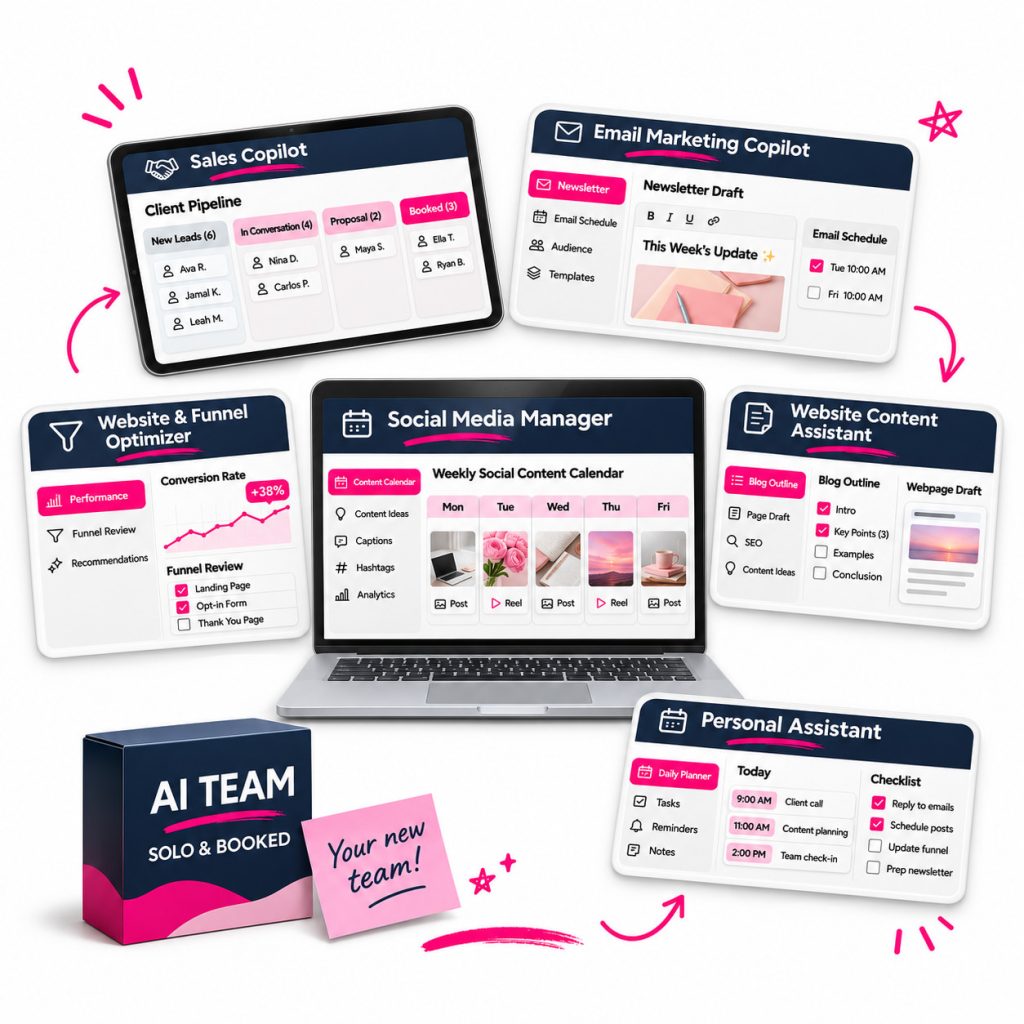
Feeling overwhelmed can be a sign that your business has outgrown the way you’ve been working.
Because as a solopreneur, you wear more than one hat.
First, there’s sales:
activities to bring in more sales, sales conversations, creating and refining your offers, addressing objections…
Then there’s email marketing:
writing newsletters, planning campaigns, creating subject lines, building sales sequences, improving automations and coming up with ideas for your next emails…
And your website, sales pages and funnels:
improving sales pages and calls to action, reviewing your offers, analyzing the customer journey and fixing the places where you’re losing potential clients…
Let’s not forget content:
social media posts, blogs, videos, podcasts, repurposing existing content, SEO and GEO, meta descriptions, keywords and content distribution.
Oh, and all the admin:
answering emails, keeping up with updates, planning your day, preparing proposals, documents and meeting notes…
And yes, the solution might seem simple:
→ hire an assistant (but you don’t have time to train someone or the energy to sort out a contract),
→ leave these tasks until you have time (even though you know that a well-built, optimized funnel could free up hours and bring in more clients),
→ open ChatGPT and paste in a ready-made prompt (then get generic copy that takes longer to fix than it would take to write from scratch).
Okay, I get it. Even reading all of this (and probably adding a few more roles and tasks in your head) can bring on that overwhelmed feeling…
What if it could work differently?
Imagine having your own team of assistants, each with specific tasks and the knowledge to handle them. For a moment, put aside finding people, training them, sorting out contracts and managing access. All these assistants need is to get to know you and your brand, which you can do in one shared onboarding conversation.
Then they’re ready to work, with no complaints, late arrivals, holidays or salary negotiations…
That idea is exactly how I started building my own AI team.
I wanted assistants that could carry out real tasks in my business, beyond chatting and giving me prompts to copy.
I built my knowledge, 10+ years of experience and methodology in marketing, sales, websites, content, funnels and optimization into this team. I’ve seen how much more useful AI becomes when it has specific capabilities and understands your brand, offers and way of working.

Why am I the person to help you with this?
If we haven’t met yet 👋
I’m Maja. For more than 10 years, I’ve helped entrepreneurs build their brands, from their foundations, visual identity and website to a system for attracting clients without relying on constant posting, manual work and feeling like they always need to be doing more.
So I know how quickly the behind-the-scenes tasks pile up: content, emails, sales pages, optimization, organization, ideas, edits and everything else that needs doing but keeps waiting for more time or the “right moment.”
For some tasks, hiring an assistant or a specialist makes sense. For many others, AI can offer practical support when it’s set up properly.
I believe AI can take on many of the tasks that don’t always need a human touch, while you decide where your own attention matters most.
↓

Introducing…
↓
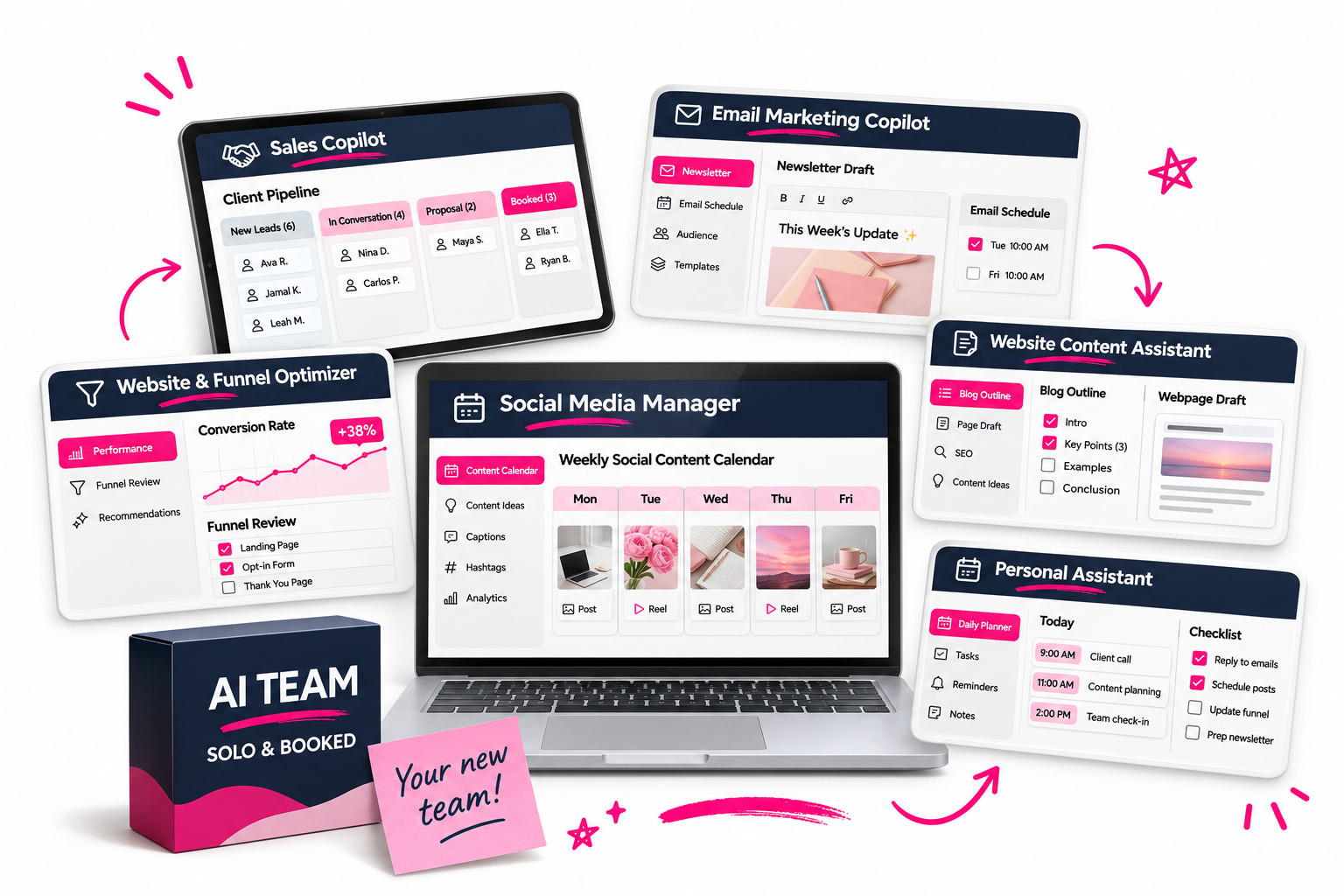
AI TEAM
A self-paced program to build your own team of six specialized AI assistants. Add one assistant a week, or move at your own pace. Watch the recordings for practical examples, extra tips and ways to adapt each assistant to your business (👋 bye-bye, putting off actually using AI). Pre-order now and save €300. The program will be available by November 23, 2026 at the latest.

Inside AI Team…
Each assistant has a specific role and set of responsibilities, so you can use AI to help you get things done.
0. Your AI Team’s Brain
When the program opens, start with the preparation module and set up the foundations of your AI team. Think of it as one introductory meeting with all your future assistants, so you don’t have to keep explaining who you are, what you do and how you communicate.
The setup works like a conversation. You answer questions, and AI uses your answers to create the core documents. You then review, edit if needed and approve them.
You set up your AI Team’s Brain once, ideally before installing your first assistant. It gives all your assistants a shared foundation to work from.
1. Social Media Manager
Social media can quickly take up a lot of time. This assistant gives your content structure and purpose, and helps you make the most of what you’ve already created. It covers Instagram, Facebook, TikTok and LinkedIn.
What this assistant does
Profile analysis and strategy Reviews your profile to see what’s working and what needs attention, then suggests content pillars and positioning. If you already have these, it helps you refine them; if you don’t, it helps you build them.
→ Run this monthly to plan better content for the next month and see exactly what worked last month.
Daily engagement plan Helps you identify ideal clients and opportunities to connect, then drafts specific comments that open a real conversation.
→ It prepares a suggested comment or private message and a link to the post or profile for you to review and send. Spend five minutes a day building connections with potential clients.
Daily ideas for sales-focused Story sequences Creates ideas for Stories that flow naturally and build interest, trust or sales.
→ Use Stories to connect with more people and support sales while spending less time planning them.
10 posts from one existing post Turns a single post into several fresh pieces of content.
→ Make the most of content you’ve already spent time creating and that your audience has responded to.
30-day content calendar Builds your content calendar for the next month with ideas, formats and hooks.
→ The ideas reflect what’s happening in your business and what has already worked on your profile.
One post adapted for different platforms Adapts one piece of content for Instagram, Facebook, TikTok and LinkedIn, so it fits the platform where you’re sharing it.
→ Reuse the work you’ve already done in a way that makes sense for each platform.
Content dashboard and publishing schedule Gives you an overview of your progress, ready-to-use content and upcoming posts. If you want, it can add approved posts to a supported platform or social media management tool and schedule them for publication.
2. Sales Copilot
Sales Copilot helps you keep track of potential clients, prepare personalized follow-ups and improve your sales conversations.
With higher-priced offers in particular, sales opportunities can slip away when you lose touch with someone who was interested.
Sales Copilot helps you track those conversations systematically and follow up at the right time, in a way that fits the relationship.
What this assistant does
Daily client outreach and personalized follow-ups Reviews your lead tracker and prepares a plan for who to contact, what to say and when. It helps you update the tracker and keep an eye on each conversation.
→ Stay in regular contact with potential clients and keep sales opportunities from slipping through the cracks.
Keep up with warm leads and promotional partners Flags new social media content from potential clients, adds a link and suggests a comment.
→ Build relationships through what people are actually sharing, with follow-ups that feel relevant and personal.
Sales conversation feedback Reviews a sales activity, such as a sales call transcript, and gives you specific feedback on what to improve next time.
→ Improve your sales conversations using real examples from your business.
3. Email Marketing Copilot
Email marketing easily becomes something you’ll get to “someday,” or a last-minute task before a launch. Regular communication between campaigns helps you build relationships and trust, giving your next offer a stronger starting point.
What this assistant does
Active campaign optimization Reviews your current campaign and suggests changes to improve open rates and conversions.
→ Make adjustments while the campaign is running to improve your final results.
Automated sequence optimization Reviews your existing automated email sequences and suggests improvements.
→ Help the emails running in the background build relationships, trust and sales.
Subject line generator Suggests email subject lines designed to encourage more people to open your emails.
→ Give the content you’ve worked hard on a better chance of being read.
P.S. generator Writes P.S. sections that encourage a final click or another relevant action.
→ Make better use of a part of your email that readers often notice.
Email campaign planner Plans your campaign around your chosen or recommended timeline, with the purpose, angle and call to action for each email. You’ll know what to send, when and why.
→ It supports your writing while keeping your own voice and perspective at the center of the emails.
Idea library Records the subject lines, offers and approaches that work for your business and saves them for future campaigns.
→ Keep useful ideas ready to reuse or build on.
Upload and scheduling Can upload and schedule your prepared emails in a supported email marketing tool.
→ Let AI help with the technical setup and formatting of your newsletters.
4. Website & Funnel Optimizer
It’s easy to build a website, sales page or funnel once and then leave it untouched. Over time, that can mean losing potential clients.
Website & Funnel Optimizer helps you regularly check where your website, offer or funnel is losing people and identify specific improvements.
What this assistant does
Funnel audit Maps your existing funnels or customer journeys, the steps involved and the metrics you’re tracking. This gives you a starting point for improvements based on data.
→ Ideally, review and update this analysis every month.
Visitor analysis Looks at who visits your website, what they may be interested in, what’s working, where visitors drop off and where additional traffic could come from.
→ Understand whether you’re attracting the right people and how clearly your website guides them to the next step.
Offer optimization Reviews how clear, compelling and valuable your new or existing offer feels to an ideal client. It suggests ways to strengthen that value and relevant additional offers that can increase the total purchase amount. Suitable for services and products.
→ Improve the offer itself and look for sensible ways to increase the value of each sale.
Sales page optimization Analyzes your sales page using my methodology and prepares a report with recommended improvements.
→ Get specific suggestions for your sales page so you know what to work on next.
Individual page optimization Reviews key pages, such as your contact, services, freebie, sign-up or blog page, and prepares an improvement report using my methodology.
→ Help every page build trust and interest, and guide visitors toward the next step.
5. Website Content Assistant
Writing website content brings up plenty of questions: what to say, in what order, which words to use, how to reflect your clients’ language and how to turn existing material into content that supports trust and sales.
What this assistant does
Sales page architect Guides you step by step through writing a new sales page, with a clear structure that takes readers from curiosity to a purchase.
Key website page architect Guides you through writing pages such as your services, freebie, sign-up and About page, giving each one a clear purpose and next step.
Existing page improvements Reviews your current website pages and suggests changes, such as clarifying confusing copy, adding evidence or testimonials, improving a call to action or giving visitors a stronger reason to take the next step.
Keyword analyzer Analyzes and recommends keywords for a piece of content, page or blog post, based on your topic, offer and ideal client.
→ Save time researching relevant keywords whenever you create new content.
Meta description generator Suggests SEO meta descriptions for pages and blog posts to encourage more clicks from search results.
Blog and podcast content creator Turns existing content into a blog post, suggests an image or infographic and prepares a distribution plan so you can use one piece of content in several ways.
→ For example, turn your podcast episodes or YouTube videos into content for your website, your business’s online home.
Search engine (SEO) and AI search (GEO) optimization Helps structure your content so it’s easier for search engines and AI systems to understand and find the knowledge you share publicly.
→ Support your visibility and attract more organic visitors and potential clients.
Voice-of-customer finder Pulls out the words your ideal clients use in messages, social media, forums and other sources, then helps you use that language in your content so people can relate to it.
6. Personal Assistant
Personal Assistant helps with the everyday tasks that take up hours each week, including email, your calendar, proposals, documents, meeting notes and folder organization.
These are often the tasks you put off or that interrupt your focus when you’re working on something more important.
What this assistant does
Inbox review Reviews your emails, prepares an overview, flags newsletters worth reading and drafts replies to messages waiting for a response. See what needs your attention without spending ages searching your inbox.
Daily and weekly planning Reviews your calendar and organizes your tasks into a daily or weekly plan, with clear priorities and a realistic view of the time available.
Proposal preparation Prepares client proposals from a Google Docs template, so you don’t have to rebuild the document or work out what to include every time.
Document preparation Uses templates to prepare business documents such as client reports, status updates, instructions, onboarding materials and meeting summaries, saving you time while keeping them consistent.
Meeting notes Turns meeting transcripts into organized notes, pulls out decisions, tasks and key information, and saves them in the relevant client’s folder. Keep everything together without searching through recordings and scattered notes.

Once you start using your AI team, you can look forward to…
… having your regular content planned, with more room for the extra ideas you actually want to share.
… feeling more connected to potential clients and knowing where each important conversation stands.
… finally getting started on projects you’ve wanted to do for ages but never had time for.
… opening your sales page draft with a structure to follow and ideas to work with.
… feeling like you’re leading your business again, with support for the everyday tasks.
This is one of the best programs I’ve taken… and I’ve taken soooo many.
The assistants cover exactly the areas where I struggle most… marketing and sales…
With AI TEAM, I’ve approached this systematically for the first time. Before, I was jumping from one thing to another without real results.
I’m starting again after a few years away, and this little team came along at just the right time to help me build my business properly while still having time for everything else.
I love starting with strategy, then following steps that connect… sales pages, email campaigns… and finally showing up on social media again.
I also love that it can create code for my sales page that I can simply copy onto my website. I haven’t used it for an entire page, just sections that would otherwise have taken me a lot of time.
I recommend AI TEAM to every entrepreneur.
It really makes the work easier and produces great analyses that would otherwise take far too long.
Now I can’t imagine working without this lovely little team.
A big hug
Tatjana

I’ll be honest with you: I’m not a technical person at all, and I really enjoyed the AI Team program. I regularly use everything I gained from it.
I decided to join simply because I trust Maja. We’ve been working together for quite a few years now, and my experience with her has been excellent.
So when Maja created AI Team, I thought, ‘Well, if not now, when?’
Technology is moving forward so quickly, and I knew it would be good to learn sooner rather than later what today’s AI assistants can do for us.
AI Team is really well designed for entrepreneurs like the two of us. Maja guides you through everything very clearly, step by step.
The assistants she’s created are designed to solve the exact problems we face every day in our businesses.
You don’t need much technical knowledge to follow the program. The guidance is very clear.
What I especially like is that there’s so much inside. You learn a lot, and there are so many things your assistants can help you with.
At the same time, you can adapt everything to suit you. When you install an assistant, it asks you how you’d like to set it up.
I’ve really made everything my own. Now, after using it for about two months, I feel like the team is working together really well.
I’m truly grateful for that. Thank you, Maja. I think this program will stay with me for a long time, and I’ll keep using what I’ve learned.
There’s still so much for me to discover and learn. I already know there are more things it can make easier for me. Now I know where to look and how to set things up. And if there’s something I don’t know how to do, I know who I can ask: Maja.
Tina Košir
What would it cost to hire this kind of support?
Here’s a conservative estimate:
| Social Media Manager | €300/month (basic content creation and support for one platform) |
| Sales assistant for follow-ups and sales support | €300/month (around 5 hours of work per week) |
| Email marketing specialist | €300/month (campaign creation and optimization) |
| Website & Funnel Optimizer | €500 for one analysis and improvement recommendations |
| SEO / website content specialist | €400 for content creation and optimization |
| Personal Assistant | €15/hour × 5 hours/week = around €300/month |
| Business coach or consultant | €100 for one 60-minute consultation |
| TOTAL: | around €2,200 |
Similar support from several specialists could quickly add up to more than €2,200.
The regular price of AI TEAM is €997. Save €300 when you pre-order. Your pre-order price is €697.
You also get these bonuses:
BONUS #1: An extra assistant: Business Whisperer
Business Whisperer helps with decisions, priorities and focus. Turn to it when you have too many ideas or options and need to work out what matters now, what can wait and which step to take next.
What this assistant does
- Advisory board Looks at a decision from several perspectives, including marketing, sales, strategy and risk. See the bigger picture before you decide.
- Quick decisions Asks questions that help you reach a decision and move forward when you’re getting stuck.
- Clarity finder Helps you sort through too many ideas, tasks or options by asking focused questions.
- Weekly review Reviews what worked, what didn’t and what to change, so you can see what brings results, what drains your energy and how to plan the next week.
- Priorities and focus Helps you decide where to start and what deserves your attention.
- Personal growth and leadership Helps you notice patterns such as over-controlling, procrastination, doubt or old habits, and find a practical next step.
- Back in the driver’s seat Offers support on a difficult day, reminds you why you’re doing this and helps you return to making decisions as the leader of your business.
BONUS #2: One Month of Content in One Day
In this course, I show you how to prepare a whole month of social media content in one day, with a little preparation beforehand, based on four posts a week.
It’s a system I’ve developed over several months to help you save time and get more consistent results.
How does it work?
1. Click “Build Your AI Team”
2. Pre-order now and save €300.
This is a pre-order. The program will be available by November 23, 2026 at the latest. Once it’s available, follow the step-by-step videos to get started with Claude and set up your AI Team’s Brain.
3. Add one assistant a week, or follow your own pace.
Set up each assistant and watch the recording to learn how to adapt it to your business and make the most of its capabilities.
For each assistant, you get a plugin with built-in knowledge, installation videos and a recording showing you how to adapt it to your business.
You’ll need: a computer (Windows or macOS) and a Claude Pro plan or higher, purchased separately.
Note: AI TEAM is a tool to support your work. You remain responsible for all decisions, implementation and results in your business.

Your package includes:
- Your AI Team’s Brain
- Assistant: Social Media Manager
- Assistant: Sales Copilot
- Assistant: Email Marketing Copilot
- Assistant: Website & Funnel Optimizer
- Assistant: Website Content Assistant
- Assistant: Personal Assistant
- [BONUS] Assistant: Business Whisperer
- [BONUS] One Month of Content in One Day
Have a question? Here are some answers:
Do I need technical skills?
Basic computer skills are enough. You’ll get video instructions to guide you through the installation.
Is this a collection of prompts?
You get ready-made plugins with built-in knowledge, methodology and experience, ready to set up and use.
What if I’ve never used AI before?
You’re welcome here. You don’t need previous AI experience. I’ll show you how to use it inside the program.
Will this work for my type of business?
The program is designed for entrepreneurs who sell knowledge or services, such as coaches, consultants, therapists and creators. It’s for people who want to use AI to support their content, sales and day-to-day organization.
What if AI doesn’t give me the results I want?
Start with your AI Team’s Brain, where you define your brand, tone and way of working to give your assistants the context they need. Review their work and refine the setup as needed. You remain responsible for the final decisions in your business.
How much time will I need?
The initial setup of your AI Team’s Brain takes around an hour. After that, allow about 10 minutes to install each plugin and around an hour to watch its recording. I also recommend setting aside time to test and use each assistant.
What happens once I have set up my team?
Once your assistants are set up, you can use them in your day-to-day work and keep adapting them as your business grows. Follow the program at your own pace, whichever suits you 🙂
