
No more waiting for a video editor.
VIDEOMAT
You need a video editor for pro videos. For regular and short videos, you need Videomat.
Or get it free as part of the AI Team.
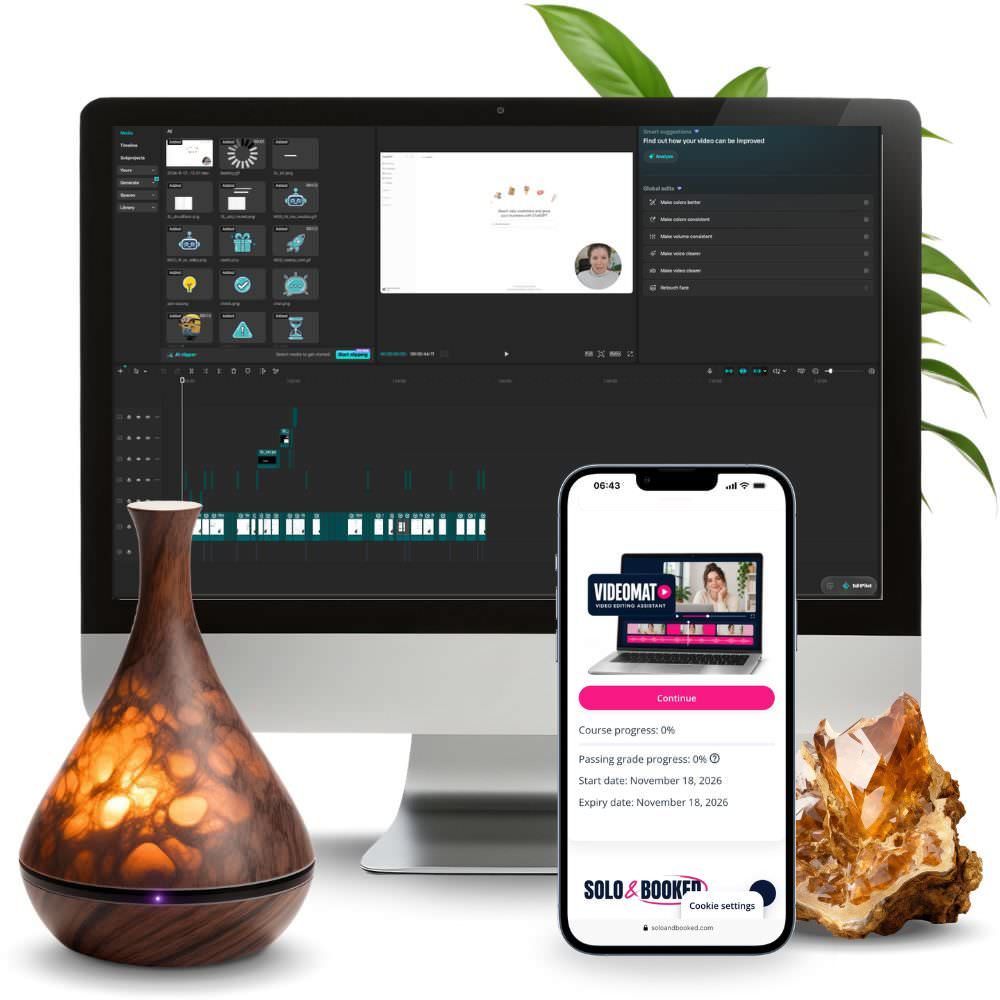
You probably can’t afford a video editor for every single reel…
So here’s what happens: you record a video, open it in CapCut (or a similar editing tool) and close it again, because you don’t have hours to spend on cuts and subtitles… Meanwhile new recordings pile up, and your posts wait for “when I have more time”.
And the worst part? You know one longer video (one you already have) could give you posts for the whole week. If only someone would cut it into shorts and add subtitles and an opening title to each one.
You’ve probably already tried…
→ Editing in CapCut yourself and realised that one minute of video means an hour of cutting pauses, fixing subtitles and hunting for the right font.
→ An auto-subtitle app that wanted a pricey monthly subscription and didn’t let you edit anything else.
→ Thinking about hiring a freelance video editor and quickly working out what that would cost every month (plus the time for revisions and back-and-forth…).
The problem usually isn’t just the money, or how much time revisions and coordinating with a freelancer will take… it’s that the editing process slows you down, or even stops you from posting more videos and building more visibility, trust and clients.
… and from reusing those long videos you’ve already recorded, which are gathering dust on a digital shelf somewhere.
You know… one long video can easily give you 1, 2, 3 or even 10 short videos for social media.
And that kind of work, with instructions it only needs once, is a perfect job for an AI assistant.

And now you might be thinking… Maja, I don’t have the time (or the know-how) to teach an assistant how to edit videos… Well, I’ve taken care of that for you. 😉
When I started recording videos regularly for my business, I did the same steps every time I edited: cut the start and the pauses, added subtitles in my colours, put a short title at the beginning, highlighted keywords and dropped in a shot of my hands or my screen. There was nothing creative about it, but it took a huge amount of time.
So I built Videomat for my own AI team. Now I edit my videos with it: I type “edit video XY” and it does everything I used to do by hand. I just watch the video and fix something if needed (or tell it what to fix).

Let me introduce…
↓
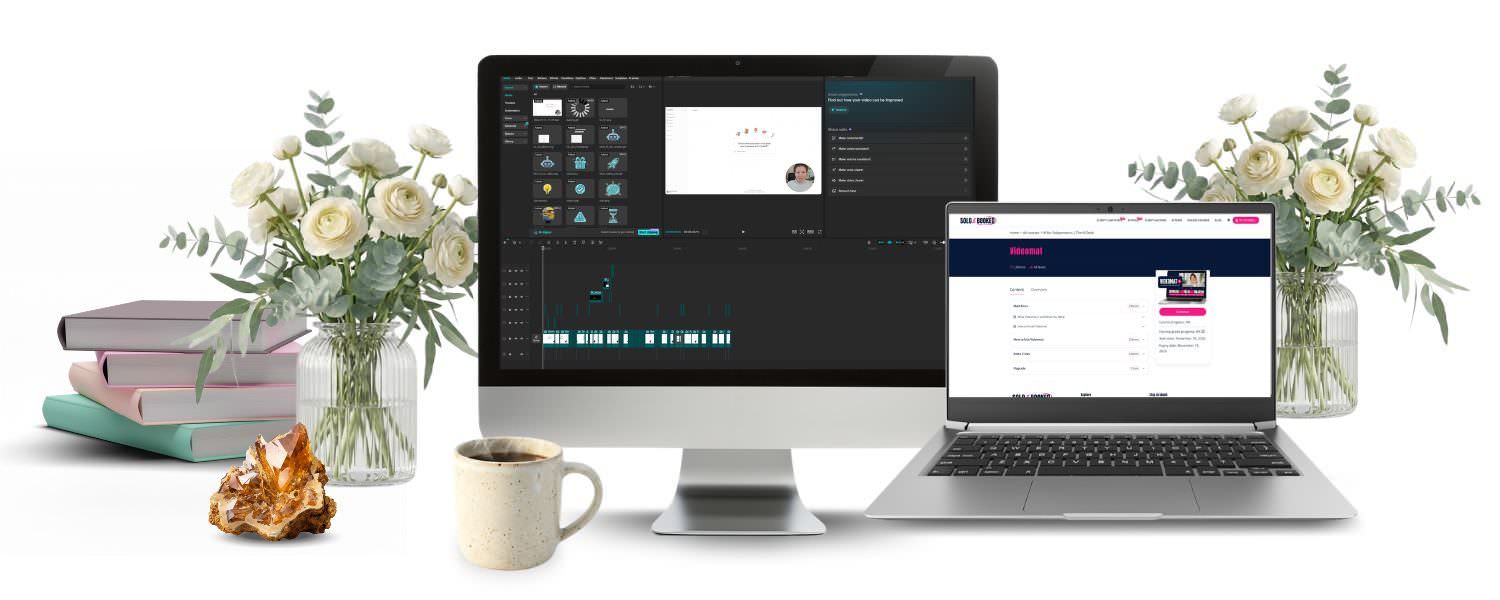
VIDEOMAT
Your video editing assistant that works in the Claude app on your computer.
It’s a “plug and play” plugin, which means you don’t need to know how to edit, set up software or write long instructions. It turns your recording into an edited video with subtitles (if you want them), a hook, highlights, B-roll, stickers and sound effects in your brand style, and turns a long video into shorts for Reels, TikTok and Shorts.

How it works
1. Install the plugin
Once, following the video in the course.
2. Type “set up Videomat”
Videomat installs everything it needs; you just answer a few questions about your brand and preferences.
3. Type “edit video”
You get a CapCut project and a finished video, ready to post.
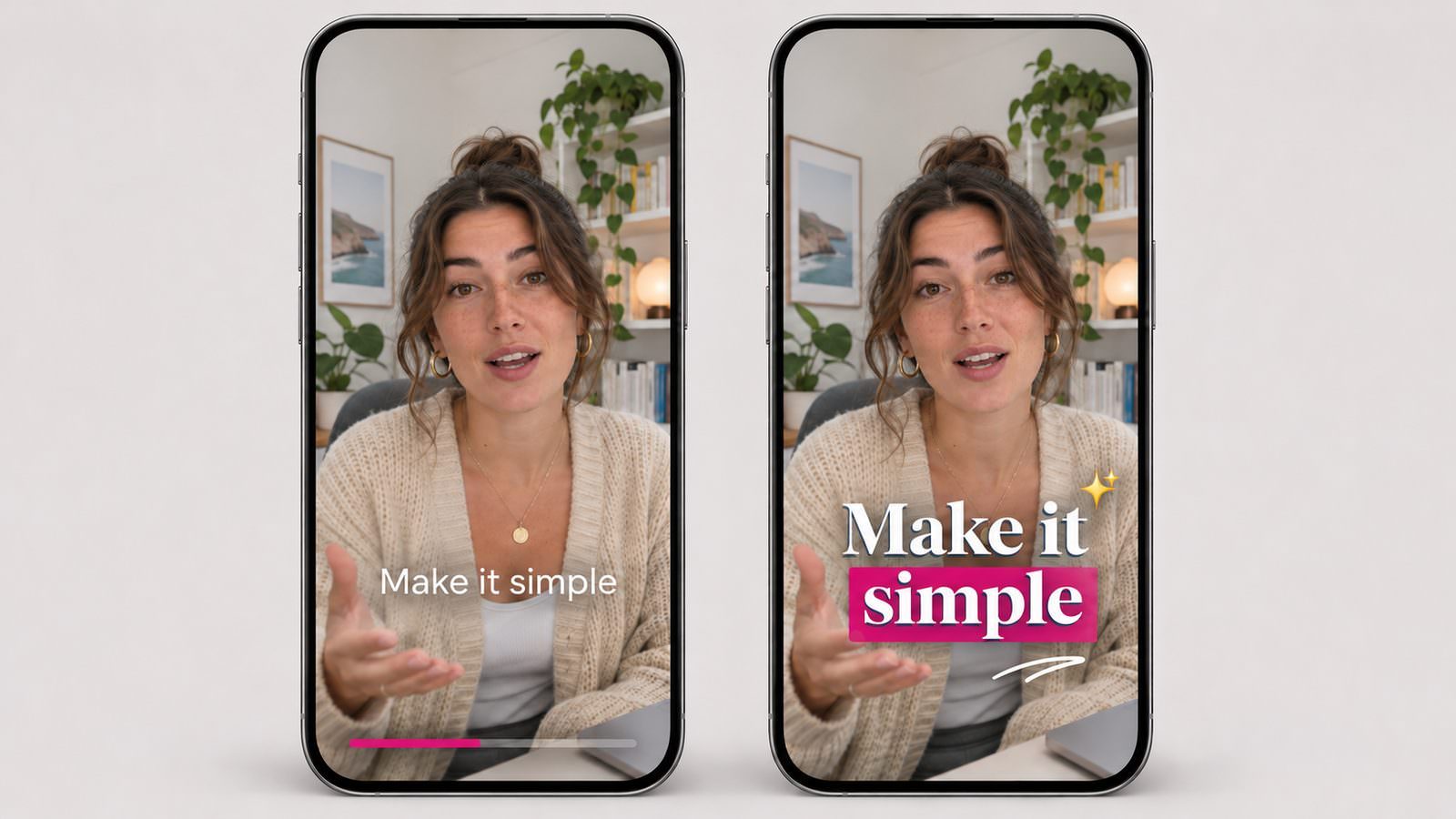
Want to see an edited example? 👇
Before (original)
After (edited video)
Why Videomat isn’t just another subtitle app
Because…
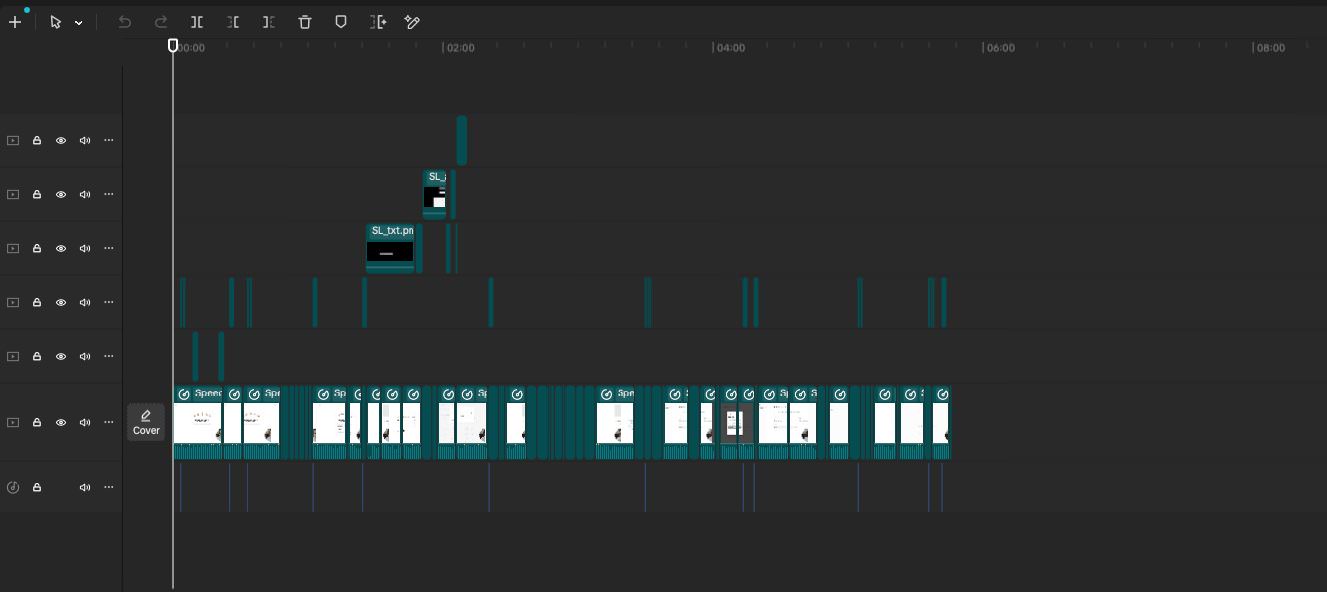
You get a real CapCut project
Not just the final video. You can still move every caption, cut and insert in free CapCut, as if you’d edited the video yourself.
It edits in your brand style
You tell it your colours and fonts once (if you use the AI TEAM, it reads them from the Brain), and from then on every video looks like yours.
It turns one video into shorts
It picks the parts that stand on their own and adds a hook to each one. That way you can quickly recycle one long video into several posts.
You ask for changes in plain words
“There’s a wrong word in the subtitles”, “this cut shouldn’t be here”… just like you would tell a “human” editor.
Pay once, use it forever
No monthly subscription for yet another tool (you only need Claude Pro or a higher plan, which you probably already use).
What you get and how you can use it
The Videomat plugin for the Claude app
I’ve built all the know-how, templates and instructions into a plugin you simply install and use. It can create:
- a CapCut project you can keep editing however you like,
- a final MP4 and a subtitle file (.srt, for YouTube, for example),
- subtitles, an opening hook, keyword highlights, B-roll, stickers and sound effects,
- your choice of format: vertical 9:16 (Reels, TikTok, Shorts), horizontal 16:9 (YouTube, website) or square 1:1.
Shorts from a long video (recycled)
So one recording gives you posts for the whole week. Videomat picks the parts that stand on their own, adds a hook to each one and, if you like, compresses them to 10 MB (for easier uploading to social media).

It uses your brand style
So all your videos are recognisably yours: your colours, fonts and 11 stickers in your colours. You can have several styles too (if you have more than one brand or different video series, for example).
You also get an add-on library with a starter pack
So Videomat has something to choose from: B-roll clips, GIFs, images, icons and sound effects with a CC0 licence. You can add your own too, and Videomat describes them and uses them where they fit the content.
A step-by-step video course (video and written instructions)
So installation and your first video go smoothly without any technical knowledge:
- Start here: what Videomat is, what you need and how to install it,
- How to use Videomat: editing a video, shorts, revisions, the add-on library, styles, what to do if something gets stuck,
- Extra tricks: several videos at once, a style based on a video you like, teaching it your names and terms, a different style for each series, from video straight to post.
What your week could look like with Videomat…
… you record a short video in that mini break between two clients instead of putting it off until the weekend. Then you just type “edit my latest recording” and get back to work.
… one longer video gives you posts for the whole week, because Videomat cuts it into shorts and edits them.
… your videos have a common thread and people recognise you instantly: same colours, same fonts, same feel.
… when you don’t like something, you say it in words instead of spending half an hour figuring out how to fix it technically.
… you only hire a video editor for the videos where you really need one. 👏
Who Videomat is for 👍
- for business owners who record their own videos, reels or YouTube videos,
- for those who want to post regularly but editing slows them down,
- for those with a Mac or Windows computer and a paid Claude plan (or who want one).
Who it’s not for 👎
- film and commercial production or event footage: a video editor is the right choice there,
- those who only work on a phone or tablet,
- videos without speech (music and footage only, for example): Videomat edits based on what you say.
So how much can video editing cost you?
According to public price lists for 2026:
| Video editor, entry level | $25 to $75 per short video |
| Video editor, mid level | $75 to $200 per short video |
| Two short videos a week with a beginner | $200 to $600 a month |
| Subtitle and shorts app | $15 to $39 a month, every month |
| Videomat | €97, one-time payment |
I won’t even charge you the price of one month of editing.
Videomat’s regular price is €147, but right now you can get it for €97. You pay once and it’s yours (including any future updates).
BONUS: upgrade code for the AI TEAM
Videomat buyers also get an upgrade code for the AI TEAM in the course, which deducts the full price of Videomat from the AI TEAM. If you decide on the whole team of assistants later, you haven’t lost a thing.
Before you buy, please check you have everything you need 👇
Videomat edits on your computer (not on a phone or tablet), so you need:
- A paid Claude subscription (Pro or higher). The subscription isn’t included in the price.
- A Mac or Windows computer with the Claude app installed. Videomat doesn’t work on a phone, a tablet or in the browser. On Windows it works in Code mode in the Claude app. You can record on your phone, but the editing happens on your computer.
- The free CapCut app from capcut.com.
- About 6 GB of disk space and an internet connection. During installation, a speech transcription model (about 1.5 GB) is downloaded once, plus all the templates (stickers, sound effects, B-roll).
- Your brand style (colours and fonts), or at least which colours and fonts you use.
On less powerful computers, Videomat runs in a lighter mode: the transcription is slightly less accurate, but faster.
What happens after you buy?
1. You fill in the order and pay.
2. You get access to the Videomat course.
3. You check you have everything you need.
In the first lesson you check the requirements, and in the second I show you the installation step by step.
4. You type “start”.
Videomat installs everything it needs and sets up your style and folders. Installation takes 2 to 10 minutes.
5. You type “edit video”.
The first transcription takes about a third to half of the video’s length, then you get a CapCut project and an MP4.
You need: a computer (Mac or Windows), a paid Claude subscription (Pro or higher) and the free CapCut desktop app.
If you get stuck…
If anything gets stuck during installation or use, email me at [email protected] and I’ll help you. Videomat can create a diagnostic file itself, so I can quickly see where the problem is.

To sum up, the Videomat package includes:
- the Videomat plugin for the Claude app,
- an add-on library with a starter pack and 11 stickers in your colours,
- step-by-step video instructions,
- email support.
Regular price €147, now €97 (one-time payment).
Got a question? Here are answers to the most common ones:
Does it really work right away?
Yes, Videomat is plug and play. After installation you type “start”, and it installs everything it needs and sets up your style, which takes 2 to 10 minutes (only the first time). Then you type “edit video” and you’re good to go.
Do I need a paid Claude plan?
Yes. Videomat is a plugin for the Claude app and doesn’t work with a free account. You need a Pro plan or higher.
Do I need to know how to edit or code?
No. You talk to Videomat in plain language, and I show you the installation step by step in a video.
Will I still need a video editor?
For pro videos, commercials and event footage, I’d recommend one. For weekly videos and shorts, no.
Does it work on Windows?
Yes, in the Claude app in Code mode. On a Mac it works in a regular chat.
Does it work on a phone or iPad?
No. You can record on your phone, but the editing happens on your computer.
Do I have to pay for CapCut?
No, the free CapCut desktop app is enough.
What language are the subtitles in?
In the language you speak in the video: English, Slovenian or any other language. You can teach it your names and specialist terms so it spells them correctly.
Does it use up a lot of my Claude plan?
Videomat is built to be economical: the transcription and editing run on your computer, and Claude only reads a short summary of the sentences.
I already have the AI TEAM. Do I need Videomat?
No, Videomat is already included in the AI TEAM.
What if I decide on the AI TEAM later?
In the course you get a code that deducts the price of Videomat from the AI TEAM.
Record once. Videomat takes care of the rest.
Videomat is an independent Solo & Booked product and is not affiliated with Anthropic (Claude) or ByteDance (CapCut). Claude subscriptions and third-party software are not included in the price.
